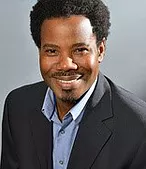
Jackson M Doggette Jr., J.D., M.A
Attorney & Cousellor at Law
INTRODUCTION
Throughout my 39-year career, I have been honored to positively impact the community. Beginning as a church growth consultant for a conference executive committee, I leveraged my expertise to successfully effect organizational goals while maintaining flexibility in meeting changing priorities.
My primary gift is strategic thinking, resulting in my ability to easily provide viable solutions to any problem and initiative.
As a solutions expert, I design effective solutions to dramatically improve the condition of organizations and individuals. I am proficient in absorbing extensive new information and persuasively communicating ideas in multicultural settings. My insatiable desire to learn and share has resulted in my being a thought leader.
Employing my gifts established my primary skill, the ability to create and improve processes and systems to achieve specific results. Often, this requires the ability to effectively teach, facilitate discussions, build teams, act as a consultant, mediate disputes and build consensus, facilitate seminars and workshops, and chair meetings. It has been my pleasure to utilize these skills, including advanced skills as a lawyer and minister, to lead positive change.
I have always been involved in community activities, serving on nonprofit boards, in chambers of commerce, and
professional associations. When the Katrina disaster hit New Orleans, I persuaded a group of churches to band together to give relief aid. I led a contingent of people to help repair homes so citizens could return to their dwellings. I was honored to receive commendations for my efforts.
I am committed to helping young people achieve their full potential. One of my most rewarding contributions was serving as a Teen Judge in a diversion program. I also led the strategy in Southeastern Conference and Southeastern California Conference to establish elementary schools. Utilizing my passion for cycling, I created a vision to raise money through an initiative called iRide. This campaign heightened awareness of the needs of the schools in the Allegheny East Conference Corporation of Seventh-day Adventists as I rode nearly 900 miles to every school in the conference across six states and the District of Columbia with the support of the Office of Education, the President, and all who contributed to the effort.
My personal interests are leading change, presentations in a seminar setting, writing, public speaking, community activism, reading, listening to audio books, cycling, and performing as a musician.
EARNED DEGREES
2018
(Anticipated upon completion of required thesis) LL.M., Employment Law, Atlanta’s John Marshall Law
School, Atlanta, GA
1990 Juris Doctor, Thomas M. Cooley Law School, Lansing, MI
1986 Master of Arts, Religion with concentration in Theology, Ethics, and Philosophy, Andrews University,
Berrien Springs, MI
1982 Bachelor of Arts, Theology, Oakwood University, Huntsville, AL
CONTINUING EDUCATION
2016 Evernote Certified Consultant, Evernote Corporation
2015 Strengths Coaching for individuals and business teams, Gallup Strengthsfinder
2010 Ph.D.-level courses in corporate leadership, focused on succession planning
2007 Certified Family Mediator, No. 21146CF, Supreme Court of Florida
2007 Certified County Mediator, No. 21146CF, Supreme Court of Florida
2007 Certificate of Achievement, National Organization for Victim Assistance, National Community Crisis
Response Team Training
2005 Certified Specialist in Planned Giving, American Institute for Philanthropic Studies, California State
University, Long Beach Foundation
2003 Certified Life Coach through The Life Coach Institute, Dr. Shad Helmstetter, Ph.D., Executive Director
2002 Executive Leadership Training through the CEO Workshop for Advanced Ministry Chief Executive
Officers, Dean Radtke, Ph.D., Ministry Institute, affiliated with Phoenix University of Theology
Jackson Michael Doggette Jr.
1999 Certified Trust Officer, General Conference of Seventh-day Adventists
1996 Certified to teach TimeQuest: Value-based Time Management, Franklin Covey Co.
1993 to Present 35 hours every 36 months of continuing legal education in various topics, e.g., employment law, health law, immigration law, family law, corporate law, bankruptcy law, alternative dispute resolution, criminal defense, litigation, to fulfill requirements for The Florida Bar and Pennsylvania Bar
1983 Certified Private Pilot
AFFILIATIONS
United States Supreme Court Bar Member, Since 2012
United States District Court for the District of Columbia, Since 2011
District of Columbia Bar, Active license no. 993752, Since 2010, Employment Law Section
Pennsylvania Bar, Active license no. 201971, Since 2009
The Florida Bar, Active license no. 982430, Since 1993
Society for Church Consulting
AWARDS
American Jurisprudence Award for Advocacy
Nominated for the Cooley Alumni Association Distinguished Student Award
Best New Poet Award
Who’s Who In Religion
Who’s Who Registry of Global Business Leaders
Who’s Who Among Young American Professionals
PUBLICATIONS
Retaining the Harvest: How to Keep the People We Win to Christ
Ordination: Ellen G. White’s Concept
Contributing author in Estate Planning Strategies: Cutting-Edge Ideas from WealthCounsel Attorneys
Articles in Message Magazine
Articles in the Oakwood University Magazine
Numerous articles in city newspapers
EMPLOYMENT HISTORY
2004 to Present Allegheny East Conference Corporation of Seventh-day Adventists
Accomplishments while leading the Germantown Seventh-day Adventist Church congregation included increasing
worship attendance to beyond sanctuary capacity, meeting or exceeding all-conference goals, leading the first Katrina Victim Relief effort in 2005 for the Delaware Valley Ministerium, and establishing the first Membership Development Committee to recruit every member into ministry service. Since 2008, I have served as Director of Philanthropy (stewardship and trust services), Public Affairs and Religious Liberty, and Senior Housing. Since 2010, and interim pastor for several congregations. I serve as the first full-time in-house General Counsel for a regional conference. 2000-2004 Better Life Family Church Southeastern California Conference of Seventh-day Adventists requested I plant the Better Life Family Church. The church started as a mission project of the Black Ministries Department to develop a duplicatable model for churches to be 100% financially self-sustaining within one year. I led the church to be 100% self-sustaining within six months. By 10 months, the conference recognized the church to be an emerging model for others to emulate. The conference began subsidizing the planting of similar ministries. My primary role was to establish the model and train the members to effectively carry forward the mission of the church. I authored and taught most of the training materials used by the church. I was recruited by The Affiliates, an employment firm that exclusively places professionals in legal jobs, to serve as a division director to open and manage the Riverside, CA office. My responsibilities included recruiting, hiring, and training all division staff, recruiting and placing qualified candidates in legal employment, securing new clients, and selling The Affiliates services to law firms and corporations.
1996-2000 Southeastern California Conference of Seventh-day Adventists
As pastor of the Valley Fellowship Seventh-day Adventist Church, I successfully led the congregation through
organizational development and change. Under my leadership, the only black elementary school in the history of the
conference was established. I consistently met or exceeded conference goals and served on the Constitution & Bylaws
Committee.
1993 to Present Doggette Law Firm
Doggette Law Firm opened as a general solo law practice in 1993. Strong win-win negotiation skills characterize the practice. I have practiced in the areas of employment law, general nonprofit law, family law, health law, criminal defense, juvenile dependency, corporate law, estate planning, and entertainment law. One of the most fulfilling endeavors was serving as a Teen Court Judge in the Orlando Florida Juvenile Court diversion program.
1992-1995 Southeastern Conference of Seventh-day Adventists
I accepted the challenge to pastor a district of two churches in the Orlando, FL area. Major accomplishments include
consistently meeting or exceeding conference goals, negotiating the refinancing of a million dollar facility to enable the small membership to float the mortgage, and serving on the Constitution & Bylaws Committee. Another significant accomplishment was fulfilling the request of a local pastor to lead his congregation to establish the only black Seventh-day Adventist elementary church school in Orlando, FL.
1990-1992 Florida Hospital
Upon graduation from law school, I was recruited by Florida Hospital to establish a new in-house legal services
department. I joined the Florida Hospital leadership team as Legal Services Coordinator and, upon passing the bar on the first attempt while working full-time, was promoted to Chief Legal Officer at the executive level. In this position, I recruited, hired, and trained all in-house legal staff. I practiced general corporate law and many aspects of health law. I also served as liaison for hospital administration and contracted law firms and was Lead Counsel for incorporation of The Florida Hospital College of Health Sciences. I was commissioned to lead the hospital-wide internal audit for compliance with federal fraud and abuse statutes. I participated at all Board of Directors meetings, the President’s Counsel, the Management Committee, Leadership Counsel, In Vetro Fertilization Ethics Committee, Institutional Review Board, Medical Executive Committee, Medical Staff By-Laws Committee, Medical Staff Fair Hearings, AIDS Task Force and Policy Committee, Professional Affairs Committee, and Advance Directives Committee. I often advised the Risk Management Department on policy development and policy implementation.
1984-1990 Lake Region Conference of Seventh-day Adventists
While attending the Seventh-day Adventist Theological Seminary, I accepted a call to pastor two congregations in
Chicago, IL. I graduated from Andrews University while commuting from my new assignment in Fort Wayne, IN and
was elected to serve as the Trust Services, Sabbath School, and Communications Director. I also served as a Field
Secretary on special assignments for the President, which included being trained to create and implement evaluation
instruments for pastoral career development. While continuing my office duties and leading a district of two churches, I graduated from law school as a full-time student.
1979-1983 Southern California Conference of Seventh-day Adventists
My ministry began in the Southern California Conference as an evangelism and member retention consultant to the
conference Executive Committee. Soon thereafter, I received a call to join the Altadena Seventh-day Adventist Church as Youth Pastor. Successes include developing and directing a 50-plus voice youth choir, substantially increasing the young adult weekly attendance, and serving as a member of the Youth Advisory Counsel to the Executive Committee. I was humbled when the conference Executive Secretary commended me for leading the most successful evangelistic tent meeting in Altadena, CA to that date. My next assignment was as pastor of an Anglo congregation in a Spanish neighborhood. With the help of a Spanish interpreter, the Spanish-speaking membership grew nearly equal the English-speaking membership. The conference sponsored me to the Seventh-day Adventist Theological Seminary in Berrien Springs, MI.

![Driver Easy Crack + License Key [Stable] x86-x64](https://harvertonuniversity.com/wp-content/themes/lincoln/assets/img/placeholder/1000x500.png)


![FastCopyPro Crack only [Final] [x86-x64] [Stable] gDrive](https://harvertonuniversity.com/wp-content/themes/lincoln/assets/img/placeholder/500x500.png)